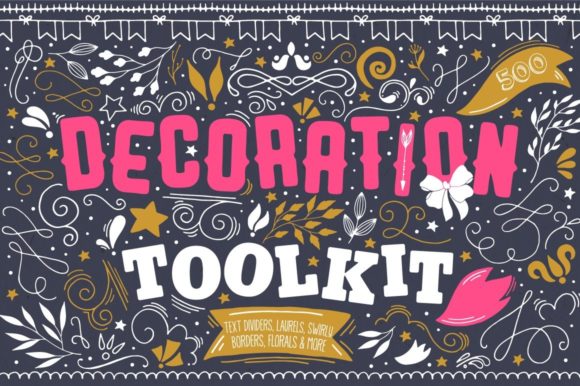
Decoration Toolkit: Over 500 Elements for Your Creative Projects
Ever find yourself staring at a blank canvas, whether it's for a new logo, a social media post, or a scrapbook page, and wish you had a quick, beautiful element to bring it to life? That’s the exact problem the Decoration Toolkit was designed to solve. This isn't just another collection of random clip art. It's a carefully curated library of over 500 high-quality design assets, built to give you the creative spark and the professional polish your projects deserve.
A Visual Language of Elegance and Charm
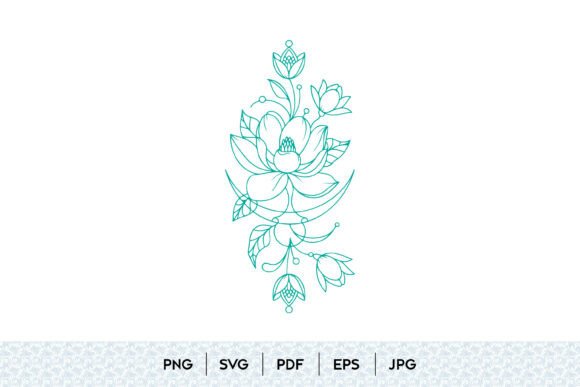
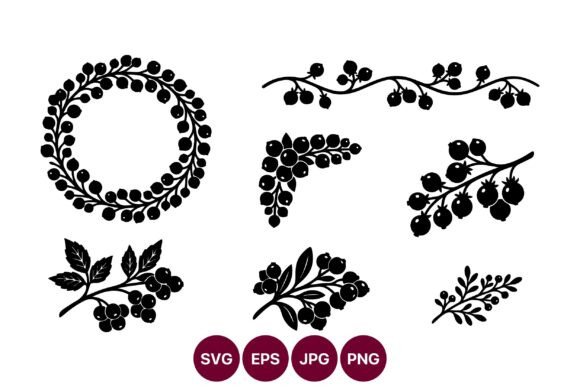
At its core, the Decoration Toolkit feels both timeless and versatile. The elements lean into a style that balances classic elegance with a touch of handcrafted warmth. You’ll find delicate florals, graceful wreaths, and sophisticated laurels that evoke a sense of heritage and quality. These are perfect for projects that need to feel established, trustworthy, or celebratory.
Alongside these, the collection includes playful swirly elements, bold bows, and versatile ribbons. This side of the toolkit adds personality and approachability. It’s the visual difference between a formal invitation and a heartfelt thank-you note. The overall appeal is its ability to communicate emotion—whether it's joy, sincerity, or professionalism—without a single word. This makes it an invaluable asset for building a strong brand identity that needs to connect on a human level.
Where This Toolkit Truly Shines
The real value of the Decoration Toolkit lies in its practical application across countless projects. For logo design, a single laurel wreath or a pair of delicate frames can transform a simple wordmark into a memorable emblem. Imagine a coffee shop logo using the wreath elements, or a boutique bakery framing its name with a ribbon. It adds instant character.
For print and postcards, the toolkit is a game-changer. Creating a beautiful wedding invitation, a holiday greeting card, or a promotional flyer becomes straightforward. The text dividers help organize information cleanly, while borders and frames give your design a finished, polished look. For editorial design and publishing, these elements can break up text-heavy pages in magazines, books, or reports, improving visual hierarchy and reader engagement.
Digital projects benefit just as much. Use the florals and decorative elements as accents in web design to guide the eye or highlight key features. For social media graphics, a quick bow or arrow can make a call-to-action pop. Entrepreneurs and small business owners will find it especially useful for creating consistent marketing materials, from menu designs for a cafe to hang tags for a clothing line. The possibilities for packaging design are immense, allowing you to create a cohesive and attractive unboxing experience.
Making the Toolkit Work for You
Getting the most out of this collection is about thoughtful selection, not just using everything at once. Here’s a practical approach:
- Start with Your Goal. Are you aiming for elegance, whimsy, or modern simplicity? Browse the specific categories—frames, bows, swirly shapes—to find elements that match your project’s personality. For a clean, modern look, you might use the shapes and text dividers. For a vintage feel, the wreaths and florals are your best bet.
- Test for Readability. When using decorative elements like text dividers or frames in web design or print, always prioritize readability. Ensure the elements complement the text, not compete with it. A good font pairing with clean typography is essential; the decorative toolkit should accentuate, not overwhelm, your premium font choices.
- Layer for Depth. Don’t be afraid to combine a few subtle elements. A floral sprig behind a framed text box, or a ribbon accent with a bow, can create depth and interest. The key is restraint—using a few well-chosen elements often has more impact than using many.
- Check the Formats. The toolkit is delivered in AI, EPS, and PNG formats. This is crucial for flexibility. Use the vector files (AI, EPS) in Adobe Illustrator for scalable logo design or large-format printing. Use the PNG files with transparent backgrounds in Adobe Photoshop or other photo editors for quick digital composites, social media posts, or scrapbook projects. Always verify compatibility with your software, especially if using non-Adobe programs.
Think of this toolkit as your creative pantry. You have all the ingredients—arrows to direct attention, borders to contain content, decorative elements to add flair. Your job as the creator is to mix them in a way that serves your specific message and audience. Whether you're a designer building a brand identity, a marketer crafting an ad, or a hobbyist making a t-shirt for a friend, the Decoration Toolkit provides the foundational visual assets to make your work stand out with professionalism and charm. It’s about empowering you to create beautiful things, efficiently and effectively.